
Every eBay gallery photo lives on i.ebayimg.com with a size code at the end of the URL. s-l64 is a thumbnail, s-l500 is the mid-size copy the page displays, s-l1600 is the largest version commonly served. Swap the code and you get the big file. Variation photos and description images are separate jobs, covered below.
The three sizes hiding in one URL
eBay stores each listing photo once and resizes it on request. The instruction travels inside the image URL itself: open any listing photo in a new tab and the address ends in something like s-l500.jpg, served from i.ebayimg.com. That code is the size you asked for, even if you had no idea you were asking.
The codes you will actually run into are three. s-l64 is the small thumbnail used in search results and watch lists. s-l500 is the display copy on the listing page, 500 pixels on the long edge, fine on screen and disappointing everywhere else. s-l1600 is the big one, up to 1600 pixels, and normally the largest version eBay will serve. The seller's upload is the ceiling, though. A photo uploaded at 900px stays 900px no matter which code you type.
Method 1: change s-l500 to s-l1600
For one photo, this is the whole job:
- On the listing page, click the photo to open it in the gallery viewer.
- Right-click the enlarged photo and open the image in a new tab.
- Look at the end of the URL and replace
s-l500withs-l1600. - Load the edited address. The same photo comes back at the larger size.
- Save it before you close the tab.
Repeat for every photo in the gallery strip. On a twelve-photo listing that is twelve rounds of open, edit, save, and it is exactly as tedious as it sounds. But for a quick check of one serial number or one scuff mark, nothing beats it.
Method 2: variation photos and description images, one at a time
The gallery is not the whole listing. Two more sets of images hide elsewhere:
- Variation photos. On multi-variation listings, a photo is attached to each option. Pick a different size or color and the main photo changes. To collect them all, click through every option and save each photo while it is showing, using the s-l1600 swap each time.
- Description images. Sellers embed extra photos in the description text below: detail shots, size charts, photos of the actual item on a bench somewhere. These are separate files from the gallery. Some sit on eBay's servers, but many are hotlinked from the seller's own image host, at whatever size that host happens to serve. Right-click those individually and take what you get.
Do this research on a desktop browser, not the eBay app. The app shows a trimmed-down listing, some variation options never appear in it, and the images it serves are sized for a phone screen. Sellers who source from their phones are working with a smaller, blurrier picture of the same listing, literally.
Doing it with HiRes
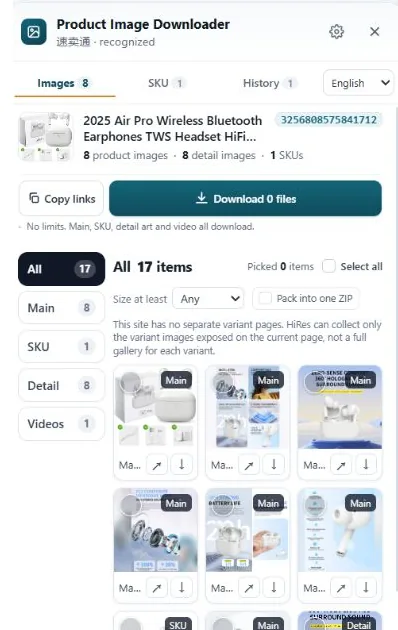
HiRes is a Chrome extension for this exact page. Click the floating button on any eBay listing and the panel lists what the page exposes, grouped: the main gallery, the variation images with their option labels where the page provides them, and the description images in their own group. Save the files one by one for free, or package a bigger selection as a ZIP with Pro ($19 once; batch export and long-term history live there too).
What it cannot change: a description photo hotlinked from a seller's free image host exists at one size only, and HiRes serves you that size, same as right-click would. It can only work with what the page loads. Everything runs locally in your browser, and the files land in your Downloads folder.
One limit nobody can code around. Gallery photos follow eBay's size-code system and scale up nicely. Description photos often do not. If a seller uploaded a 700px shot to a free host in 2016 and linked it into the listing, 700px is what exists. Any tool promising to recover detail that was never uploaded is inventing pixels, not finding them.
Questions people ask
What does s-l1600 mean in an eBay image URL?
It is the size code eBay's image server uses. s-l64 produces a small thumbnail, s-l500 a mid-size copy, and s-l1600 the largest version eBay commonly serves, up to 1600 pixels on the long edge. The photo itself is the same; only the size you are served changes.
Why did the photo I saved from eBay come out blurry?
You most likely saved the display copy. Listing pages show the s-l500 version, which looks sharp inside the page and soft anywhere else. Open the image in its own tab, change the size code at the end of the URL to s-l1600, and save that file instead.
How do I get the photo for each variation of a listing?
Select each option on the listing page. Variation listings attach a photo to the selected option, so the main image changes as you click through sizes or colors. Save the photo at full size while its option is selected, then move on to the next option.
Why are the images in the description smaller than the gallery photos?
Description images are separate files the seller embeds in the listing text. Some sit on eBay's image servers, but many are hotlinked from the seller's own image host, at whatever size that host serves. There is no size code to change on those, so what you see is usually all there is.
Skip the URL surgery
HiRes gathers the gallery, variation and description images from the eBay listing you are already on, in one panel. Free for individual downloads, no account needed.
Get HiRes for Chrome