
One organized gallery
Browse main product photos, variant images and detail imagery in separate groups instead of hunting through page markup.
HiRes brings a product’s main photos, variant images and detail gallery together in one clear panel—right beside the page you’re already viewing.
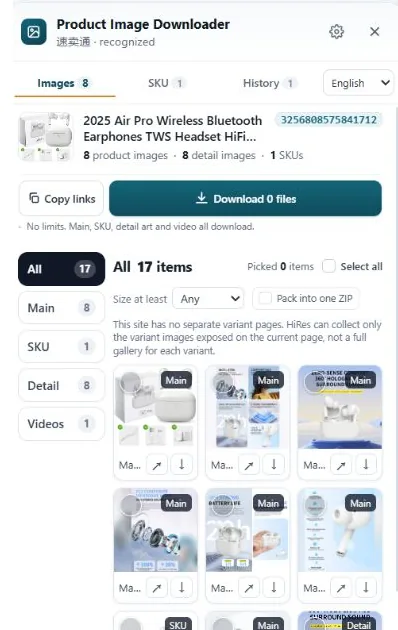
See what a listing exposes, choose the files that matter, and send them straight to your Downloads folder.
Browse main product photos, variant images and detail imagery in separate groups instead of hunting through page markup.
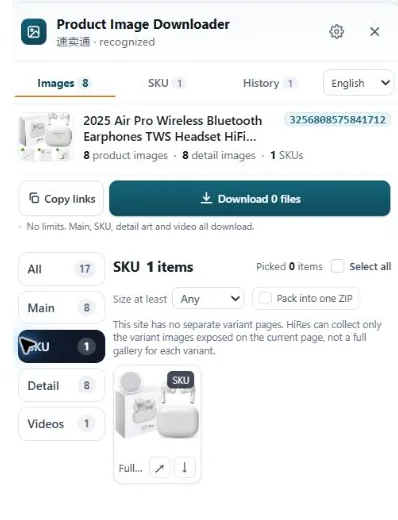
Keep color or option photos connected to the choices shown on the listing, when the marketplace exposes that relationship.
Select individual images, copy image links, or use ZIP packaging for a larger collection.
Page layouts differ by marketplace, region and listing. HiRes shows the media it can identify on the page you have open.
Preview the image groups and export controls before downloading.
Open the SKU group to review option images alongside their available labels.
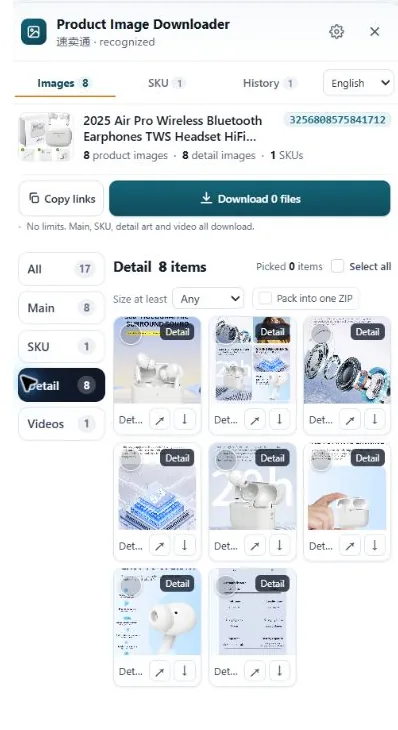
Review detail images, adjust your selection, then copy links or prepare a ZIP.
Visit a supported marketplace and open the product listing you want to review.
Open HiRes to see detected product, option and detail images in one place.
Select images and save them individually, or package a larger selection as a ZIP.
HiRes adapts to the product page in front of you. Available fields and media vary by listing.
Main gallery, option images, detail media and product videos where exposed.
Product gallery and images associated with visible option values.
Item gallery and structured variation information when available.
Product and description images, with visible variation labels and option images.
Main gallery, visible options and variant images when the listing provides them.
Listing images and visible option choices; exact SKU combinations may not be exposed.
Product gallery, option images and visible variation information.
Product images and supported page videos; variation fields depend on the page.
A login screen, verification page, regional storefront or listing format may limit what the page exposes. HiRes leaves unavailable fields blank instead of inventing data.
Try the everyday image workflow first. Pro adds convenience for larger exports.
For browsing and collecting individual product galleries.
For deeper collection and more convenient export.
A one-time Pro purchase; no recurring subscription. Exact media and product fields depend on each marketplace listing. The extension does not upload collected files to HiRes.
Plain-English walkthroughs for getting full-size photos off the big marketplaces, and keeping main, variant and detail images straight once you have them.
Why right-click gives you a 500px thumbnail, and how to get the gallery, variant and A+ images at the size the seller actually uploaded.
Main, variant and detail images are three different jobs with a different name on every marketplace. What each one is, in plain English.
The gallery, the per-option SKU photos and the long description stack, collected without an afternoon of clicking and scrolling.
eBay, TikTok Shop, Temu and Etsy walkthroughs, plus a straight answer on when supplier photos are safe to reuse.
No. Image collection and downloads happen in your browser. Product content and image files are not sent to HiRes.
It supports the marketplaces listed above, but page layouts and available data differ. Login prompts, verification pages and listing-specific layouts can affect what is detected.
Free includes product and variant image downloads without a daily product cap. Pro adds ZIP packaging, product video downloads, image processing, expanded batch export and longer history.
Visit the HiRes support page or email support@facailo.xyz. Include your extension version, marketplace and a screenshot of the panel.