
On a multi-variation eBay listing, the seller can attach a photo set to each value of one attribute, usually color. Pick that color and the gallery swaps to its set. Options with no set attached fall back to the main gallery photo, and the other attributes (size, length, pack count) share whatever set is showing. When you collect the photos, the option label is the valuable part. Lose it and the files are just pictures.
How the attachment works
When a seller creates a variation listing, say a shirt in four colors and five sizes, eBay lets them pick one attribute to hang photos on. Almost everyone picks color, because color is the thing a photo can actually show. The seller then assigns a set of photos to red, a set to blue, and so on.
From the buyer's side, that setup produces the swap. Choose blue and the gallery reloads with the blue set, because those photos are attached to the value you picked. The sizes never get sets of their own. A size 9 and a size 10 are the same picture, so all five sizes sit on top of each color's set and share it.
Why some options keep the generic photo
Three common reasons, and only one of them is carelessness:
- No photo was assigned to that value. The seller added a fifth color six months after the listing went up and never shot it. eBay falls back to the main gallery, so the new color wears the first color's photos.
- You changed the wrong attribute. If photos hang on color, changing size, length or quantity will never change the picture. The listing is behaving exactly as built.
- The listing was cloned. "Sell similar" copies the photo setup from the original item. Values that exist in the copy but not the original can end up with no set of their own.
For a researcher, the fallback matters. If the green option shows the red photo, there is no green photo on that page to collect. Any tool that hands you one has shown you the red file twice.
Why collectors mix the sets up
The gallery swaps in place. Same box, same thumbnail strip layout, new photos, and nothing on screen announces that the set changed or which option it belongs to now. Right-click through four colors and you get four sets in one folder, with file names from eBay's image host that say nothing about color. Add that most of the images are near-identical product shots, and telling the sets apart afterwards means opening every file and squinting at a jacket.
The fix is discipline at save time: one folder per option, save while that option is selected, and rename or note the option before moving to the next. Slow, and it works. Our eBay image guide covers the size codes for getting the full-resolution version of each file while you are at it.
Doing it with HiRes
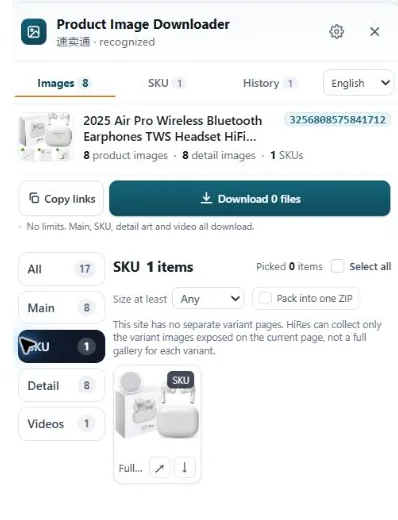
HiRes reads the listing you have open and groups what it finds: the main gallery, the variation images with their option labels where the page provides them, and any description images as a separate group. The labels ride along in the panel, so blue stays blue after the download instead of becoming file number twenty-three.
Two honest limits. First, HiRes works on desktop product pages in Chrome; the eBay app shows fewer options and is a different surface entirely. Second, if the seller attached no photo to an option, there is nothing extra to collect, and the panel will not pretend otherwise. It lists what the page exposes, and for that listing the answer is the main set.
Questions people ask
Why doesn't the photo change when I pick a different size?
Because sellers normally attach photos to one attribute, usually color. Sizes share the same photos, since a size 9 shoe looks like a size 10 in a picture. Pick a different color and the gallery swaps. Pick a different size of the same color and nothing changes, because there is nothing different to show.
Can a seller give every option its own photo on eBay?
For one attribute, yes. When a seller builds a multi-variation listing, they can assign a photo set to each value of one chosen attribute, like one set per color. The other attributes share those sets. So every color can look different, while sizes cannot each have their own gallery. That is a platform limit, not seller laziness.
Why do some options show the same photo as the main listing?
The seller never assigned a photo to that option value. When a value has no photo set of its own, eBay falls back to the listing's main gallery. You see this most on options added later, or on listings built quickly from a similar item where the new color never got its own shoot.
How do I keep track of which downloaded photo belongs to which option?
Record the option name at the moment you save the file, because the file itself will not tell you later. Manually, that means a folder per option and saving while that option is selected. HiRes keeps the option labels attached to the variant images in its panel, where the page provides them, so the mapping survives the download.
Variation photos, labels intact
HiRes groups an eBay listing's gallery, variation and description images in one panel, with option labels attached where the page provides them. Free for individual downloads.
Get HiRes for Chrome