
Yes. Temu pages display heavily compressed copies, and the files underneath are noticeably cleaner, so saving the file beats screenshotting the page every time. Set your expectations first: plenty of Temu suppliers upload mid-resolution originals, so a clean file around 1000px is a normal result, not a failed download.
Yes, you can download images from Temu. The photos on the page are real image files, and the originals behind the compressed display copies are sharper than what you see on screen. What no tool can give you is resolution the supplier never uploaded in the first place.
What "full size" actually means on Temu
Temu is built for cheap phones on slow connections, so the site squeezes display images hard. Text on packaging goes fuzzy, fabric texture turns to mush, and the photo looks worse than the product deserves. The underlying file is compressed less, and saving it gets you that version.
Here's the caveat nobody puts on their landing page. A lot of Temu supply comes from factories and small suppliers who upload whatever photo they have, often a mid-resolution one. On Amazon, a brand might upload 2500px. On Temu, the same kind of product might top out near 1000px. That is the original. A downloader that promises you more than that is promising to invent pixels.
How to save Temu images
- Open the listing in Chrome on a computer. Temu is app-first, but links shared out of the app open fine on the desktop site.
- Scroll slowly through the whole page. The detail images form a long stack and load as you go; sections you skip may only load in small size.
- Right-click each gallery photo and save it, or open it in a new tab first to check what size you are actually getting.
- Click every option (color, size, pack quantity). Each option can carry its own photo, and it only shows while that option is selected.
- Work down the detail stack last. The size charts, dimension diagrams and material close-ups live there, and they're the files you'll actually quote in your own listing specs.
Doing it with HiRes
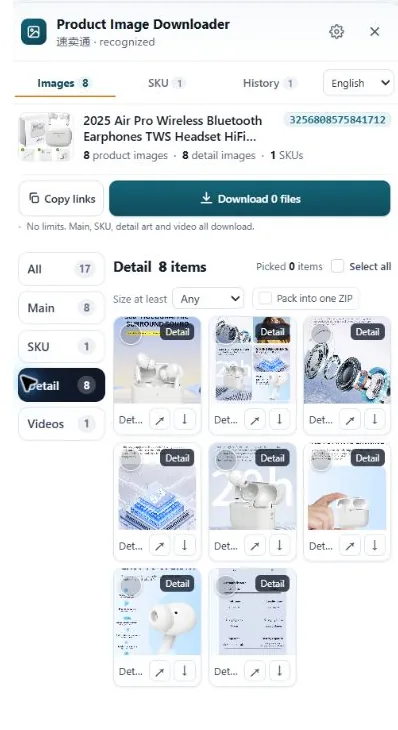
HiRes is a Chrome extension. Open a Temu product page, click the floating HiRes button, and the panel lists what the page exposes, grouped the way the listing is built: gallery photos, option images, and the detail stack as its own group. Save individual files for free, or package a selection as a ZIP with Pro ($19 once, no subscription). Everything runs locally in your browser, and the images land in your Downloads folder without passing through us.
One limit we state up front: HiRes saves the best file the page loads. If a supplier uploaded a 900px original, the panel will show you a clean 900px file, and we'll call that what it is rather than dress it up as high resolution.
The rights line. Downloading for research, specs and price comparison is normal seller work. The photos still belong to the seller or supplier who made them, so reuse in a live listing needs their permission. More in is it legal to download product images?
Questions people ask
Why do saved Temu images look sharper than the ones on the page?
Temu serves heavily compressed display copies so pages and the app load fast on cheap phones. The file underneath that display copy carries less compression. Saving the file gets you the cleaner version, which is why the same photo can look soft on screen and fine in your Downloads folder.
How big are Temu product images at full size?
It varies by supplier. Many listings top out around 1000 to 1500 pixels on the long edge, because that is what the supplier uploaded, and some are smaller. A saved file that matches the seller's upload is a good result, even when it is not huge.
Can I use Temu product images in my own store?
For research, specs and comparison shopping, yes, that is what sellers download them for. Publishing them in your own listing is different: the photos belong to whoever created them, and reusing them without permission can get your listing taken down. Get permission or shoot your own for customer-facing pages.
Get the file, not the screenshot
HiRes collects the gallery, option and detail images from the Temu page you are already on, at the best size the page loads. Free for individual downloads, no account needed.
Get HiRes for Chrome