
Work through the causes in order. You saved the small display copy instead of the original; the platform compressed the file it serves; the supplier uploaded a small photo to begin with; somebody upscaled a small file and the dimensions are lying; or the damage happened at your end, in export settings and chat apps. Check the pixel dimensions first. They rule out half the list in ten seconds.
Cause 1: you saved the display copy, not the original
This is the most common one by a wide margin. A listing page displays a mid-size copy of each photo, sized to load fast and fit the gallery. On Amazon that copy is often around 500px wide; on eBay, the gallery serves files with an s-l500 size code in the URL. Right-click and save, and 500px is what you get.
It looks sharp on the page because the page shows it small. The blur only shows up when you view it big or upload it somewhere that zooms.
The fix: get the original the page is holding back. Open the listing's zoom view, open the image in its own tab, and check the dimensions before saving. On Amazon the size code sits in the URL (something like _AC_SL1500_) and trimming it usually returns the largest copy. On eBay, swapping s-l500 for s-l1600 asks for the big file. If the numbers still come back small, the cause is further down this list.
Cause 2: the platform compressed what it serves
Some marketplaces squeeze images hard for page speed. Temu is the standout case: the photos on the page are compressed aggressively, and screenshots or right-click saves inherit every bit of that damage. The underlying files Temu holds are better than the on-screen copies, but the platform still sets a ceiling.
The fix: pull the underlying file rather than the rendered copy, then set expectations from its actual dimensions. A downloader that reads what the page exposes gets you past the worst of the display compression. It cannot get you past the platform's own copy. If the biggest file Temu holds is 1200px, 1200px is the answer: fine at normal sizes, soft under zoom.
Cause 3: the supplier uploaded a small file
Sometimes the blur was baked in before the photo reached any marketplace. Plenty of supplier photos start life at 800px or less, shot on a phone, cropped twice, and sent around for years. Every marketplace copy descends from that file, and no download method adds detail that was never captured.
The fix: go back to the source. Ask the supplier for the original photo files, not the listing images, and check the dimensions of what arrives. If the originals are small too, decide early: accept softer images, pick a different supplier, or budget for your own photos of a sample.
Cause 4: the file was upscaled, and the dimensions are lying
An 800px photo stretched to 2000px reports itself as 2000px. It passes a marketplace's size check and still looks like soup, because resizing software can only invent the missing pixels by smearing neighbours together. AI upscalers guess more cleverly, but a guess on a product photo is a liability: stitching, prints, logos and surface texture are exactly what buyers zoom in to check, and invented detail misrepresents the item.
The fix: stop trusting dimensions on their own. Judge the file at 100 percent zoom, in the detailed areas. Real resolution stays crisp in the small stuff. Upscaled files look waxy everywhere at once. If yours is upscaled, treat it as the small photo it really is and go back to Cause 3.
Cause 5: the damage happened at your end
The last set of causes is self-inflicted, and quietly the most frequent after Cause 1:
- Chat apps. Photos sent through messaging apps get resized and recompressed to move faster. A supplier's crisp original can arrive as a 1280px shadow of itself. Ask for files sent as documents or attachments, or a drive link.
- Low quality exports. Saving a JPG at quality 60 to keep files small adds blocky artifacts that only show up when a marketplace zooms or recompresses again. Export at 85 to 92 for anything listing-bound.
- Screenshots. A screenshot of a photo is capped at your screen size, softened by display scaling, and sometimes moiré-patterned. It is a picture of a picture.
- Round trips. Download, edit, re-upload, download again: every lossy save costs detail. Keep one untouched master of every photo and work from copies.
Where HiRes helps, and where it can't
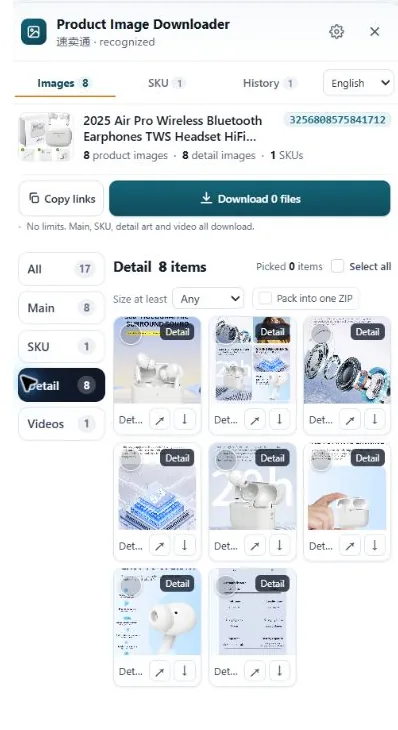
HiRes is a Chrome extension for product pages on Amazon, AliExpress, eBay, TikTok Shop, Temu, Etsy, Lazada and Walmart. It lists the images the page exposes, grouped as main, variant and detail images, and saves the underlying files, which deals with Cause 1 directly and gets you the best copy available under Cause 2. Downloads are free one by one; batch ZIP export sits in Pro, at $19 once.
It does nothing for Causes 3 and 4, and we would rather say that plainly. If the seller uploaded an 800px photo, HiRes hands you a faithful 800px photo. With the real file in hand, though, the diagnosis takes seconds: check dimensions, zoom to 100 percent, and you know which cause you are looking at.
Questions people ask
Why is the image I downloaded smaller than it looked on the page?
You saved the display copy. Listing pages show a mid-size version sized for the gallery frame, often around 500px, while a larger original sits behind the zoom view or behind a size code in the image URL. The photo looked sharp because the page showed it small. At full size, 500px of detail has to stretch, and it can't.
Can a blurry product image be sharpened back to high resolution?
Not in any way that restores real detail. Sharpening filters fake contrast at edges, and upscalers guess at missing texture. On a product photo those guesses can change stitching, print and surface detail, which misrepresents the item. A bigger original is the only honest fix; everything else is makeup.
Why do supplier photos sent through chat apps look worse than the listing?
Because chat apps shrink photos to send them faster. A 4000px original can arrive at 1280px or less, compressed again on top of that. Ask the supplier to send the photo as a file or document attachment, or share a drive link, and the full-size version usually comes through untouched.
How can I tell if an image has been upscaled?
Check the edges at 100 percent zoom. An upscaled photo has impressive dimensions but soft, smeared edges, waxy textures and no fine detail anywhere, even in parts that should be crisp like printed text. A genuine high resolution photo stays sharp in the small details, not just the outlines.
Start with the real file
HiRes saves the full-size images behind the listing instead of the display copies on screen, across eight marketplaces. Free for individual downloads, no account needed.
Get HiRes for Chrome