
At the time of writing, eBay allows up to 24 photos per listing in most categories, requires at least 500px on the longest side, and wants 1600px or more for the zoom view. Photos can't carry borders, seller watermarks or promotional text. Rules shift over time, so confirm the numbers in your Seller Hub before a big relist.
The numbers, on one page
| Rule | Figure | What it means in practice |
|---|---|---|
| Photos per listing | Up to 24 | Most categories. A handful allow fewer, so the uploader may stop you earlier. |
| Minimum size | 500px, longest side | Smaller files can be rejected or flagged at listing time. |
| Recommended size | 1600px or more | The threshold for a proper zoom and full-screen view. |
| Formats | JPEG, PNG, and other common web formats | JPEG covers almost every real case. eBay converts what you upload anyway. |
| Added graphics | Not allowed | No borders, artwork, seller watermarks or promotional text on the photo itself. |
That last row is eBay's own photo policy wording in spirit: the picture has to show the item, not your marketing. A supplier file with a logo stamped in the corner is a policy problem before it is a quality problem.
Why 1600px is the number that actually matters
The 500px minimum just keeps you out of trouble. It does not make your listing look good. On a desktop screen the gallery box is large, and a 500px photo stretched across it goes mushy. Buyers notice, even if they can't name why.
1600px is where the zoom and full-screen view switch on, and zoom is where second-hand, refurbished and graded items get sold. A buyer who can zoom into the scuff on a watch case buys with confidence. You can see the size eBay is serving on any live listing: open a gallery photo and look at the end of the image URL on i.ebayimg.com. It will read s-l64 for a thumbnail, s-l500 for the mid-size copy, and s-l1600 for the largest version eBay commonly hands out. If the biggest copy of your photo is s-l500, the original you uploaded was too small, and no setting brings back detail that was never uploaded.
What eBay bans in a photo
- Borders and frames added around the image, including decorative edges from photo apps.
- Seller watermarks and logos stamped over the photo, even faint ones.
- Promotional text baked into the image, like "FREE SHIPPING" or a discount percentage.
- Placeholder or misleading images that don't show the actual item for sale.
Catalogue and stock photos sit in a grey area that depends on the category. Some categories accept manufacturer photos for new, sealed goods. Used items are a different story: buyers and eBay both expect photos of the exact item, taken by you. If in doubt, check the photo policy for your category in Seller Hub, because the exceptions are category-specific.
Where sellers trip up
The most common failure is supplier photos. A factory sends you an image pack, the files look clean, and they are 800x800. That clears the 500px minimum, so the listing publishes, and then there is no zoom and the gallery looks tired next to a competitor who uploaded 2000px originals. The second failure is watermarks baked into those same supplier files. The third is phone screenshots: a screenshot of a photo is not the photo, and it usually lands somewhere near 700px with a chunk of screen UI if you are unlucky.
Variation listings add one more wrinkle. Each option can carry its own photo, and buyers judge the option by that photo. One strong default gallery and one weak photo on the blue variant quietly costs you sales on that variant alone.
Checking photos against the rules with HiRes
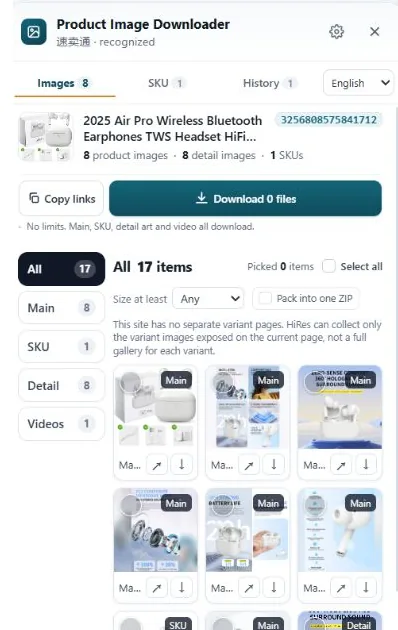
Before you copy a competitor's structure or reuse a supplier pack, it helps to know what sizes are actually sitting on a live listing. HiRes opens a panel on any eBay product page and lists the photos the page exposes, gallery, variation and description images separated. Download the full-size versions and check the pixel dimensions in the file properties. If the best copy of a photo is 800px, you know the source material is 800px, whatever the page made it look like.
One limit to be straight about: HiRes reads public listing pages. It tells you what a listing shows and what size the files are, which is the research side of the job. Checking your own draft listings against the policy still happens in Seller Hub, and your own photos still need to be yours, at 1600px, with nothing stamped on them.
Working from someone else's listing? Downloading photos to study sizes and structure is normal research. Republishing another seller's photos in your own listing is a rights problem on top of a policy problem. Our guide on when supplier photos are safe to use covers where the line sits.
Questions people ask
What is the minimum image size on eBay?
500 pixels on the longest side, at the time of writing. Anything smaller can be blocked or flagged when you list. Treat 500px as the floor, not a target, because a photo that small looks soft on a desktop screen and gets no zoom.
How many photos can I add to an eBay listing?
Up to 24 photos in most categories, at the time of writing. A few categories allow fewer, so check your own category in Seller Hub if the uploader stops you early. Most listings sell fine with 8 to 12 good photos.
Can I put a watermark or a sale banner on my eBay photos?
No. eBay's photo policy bans borders, artwork, seller watermarks and promotional text added to images. That includes things like a red SALE strip across the corner or your shop logo stamped on every photo. Put offers in the listing title or a markdown campaign instead.
What image size do I need for eBay zoom to work?
Upload at 1600 pixels or more on the longest side. That is the size eBay recommends for the zoom and full-screen view, and it is the largest version the site commonly serves back to visitors, with s-l1600 at the end of the image URL.
See what a listing is really made of
HiRes lists the gallery, variation and description photos on the eBay page you are already on, so you can check the real file sizes before you plan yours. Free for individual downloads, no account needed.
Get HiRes for Chrome